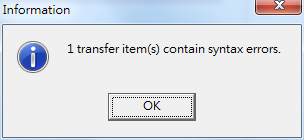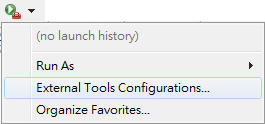
1. create new external tool
2. new program and setting on Main tab
2-1. create new Program
2-2. name it
2-3. set the location to ${env_var:SystemRoot}\explorer.exe
1. create new external tool
2. new program and setting on Main tab
2-1. create new Program
2-2. name it
2-3. set the location to ${env_var:SystemRoot}\explorer.exe
事實證明 沒先做功課 做事真的很累人 事半功倍啊>"<
先裝了 Eclipse 再加裝 CDT
建了專案後, 無法 compiler
再裝了 WinGW
設定 Properties -> C/C++ Build -> Settings -> Binary Parsers -> PE Windows Parser 勾選後提到最上面
org.eclipse.cdt.ui.CDTWizard
修改原來的 CDT, 而非創建一個新的 wizard
其中 parent 屬性是要重寫的類
例如, 填了 c, 那 c 會因此而改變但不會出現一個新的 c wizard
2015.4.20(一)
在上周開始使用 Preschool prep 的字母 dvd 給她看一個禮拜後
(其實大約只看了 5 or 6 天左右, 周末有時回婆家就沒帶過去給她看
平日如果太忙也就沒看)
看的結果是 1. 目前會說自己要看 a, b, c, d
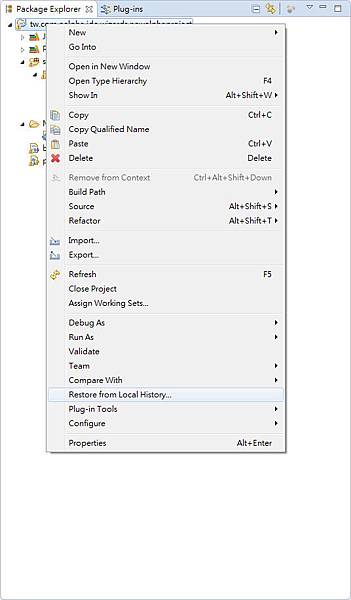
1. 恢復專案中刪除的文件
Project name -> 右鍵 -> Restore from Local History
2. 恢復修改的 code
將 code 框出一個範圍, 右鍵 -> Local History -> Replace with...
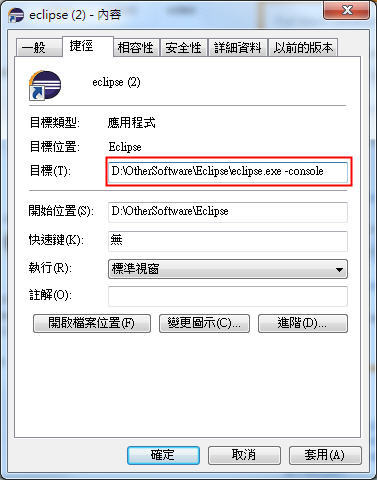
此篇文章只是工作上使用紀錄, 完整學習待後面的文章補充
工作上需要開發 Eclipse 插件, 想起研究所時有讀過一本 "專業Java整合開發工具 Eclipse 3"
剛好清明返鄉就帶回來了, 重新讀這本書, 也有新體悟
裡面提到 OSGi 架構的其中一項優點是讓外掛程是可以隨時被加入/移除 Eclipse 而不需要重啟
這優點令我眼睛為之一亮, 畢竟 Debug 時, 一直重開是很累人的事, 但除了上述的話, 它後續並沒有提到怎麼使用
網路上大略搜尋了一下, 最後比較感興趣的剩下三個
1. Preschool prep: QQmei 推薦
2. Leapfrog: QQmei + 許多網友推薦
3. Little Fox: 國中好友 Rain 推薦
這三個裡面 Little Fox 的費用最便宜, 但可能是我了解的不夠, 只找到網站或手機 app
Singleton Pattern
使用時機:只需要一個也只能有一個
例子:Thread pool、Cache、Registry、Login user
大量製造會導致許多問題;比如行為異常、資源使用過量或不一致的結果
現行的程式環境,資源是有限的。記憶體、共用的區塊、以及程式片段,在存取、操作以及安全上都應該只存在一個實體。
[原創]
void __fastcall TLCDSimForm::cbImageListDrawItem(TWinControl *Control,
int Index, TRect &Rect, TOwnerDrawState State)
{
AnsiString str = cbImageList->Items->Strings[Index];
void __fastcall TLCDSimForm::StringGridInfoDrawCell(TObject *Sender,
int ACol, int ARow, TRect &Rect, TGridDrawState State)
{
StringGridInfo->Canvas->FillRect(Rect); // 清空
DrawText(StringGridInfo->Canvas->Handle, StringGridInfo->Cells[ACol][ARow].c_str(),